
MacBook Pro Orange Screen Fix Guide: 9 Powerful Solutions That Work
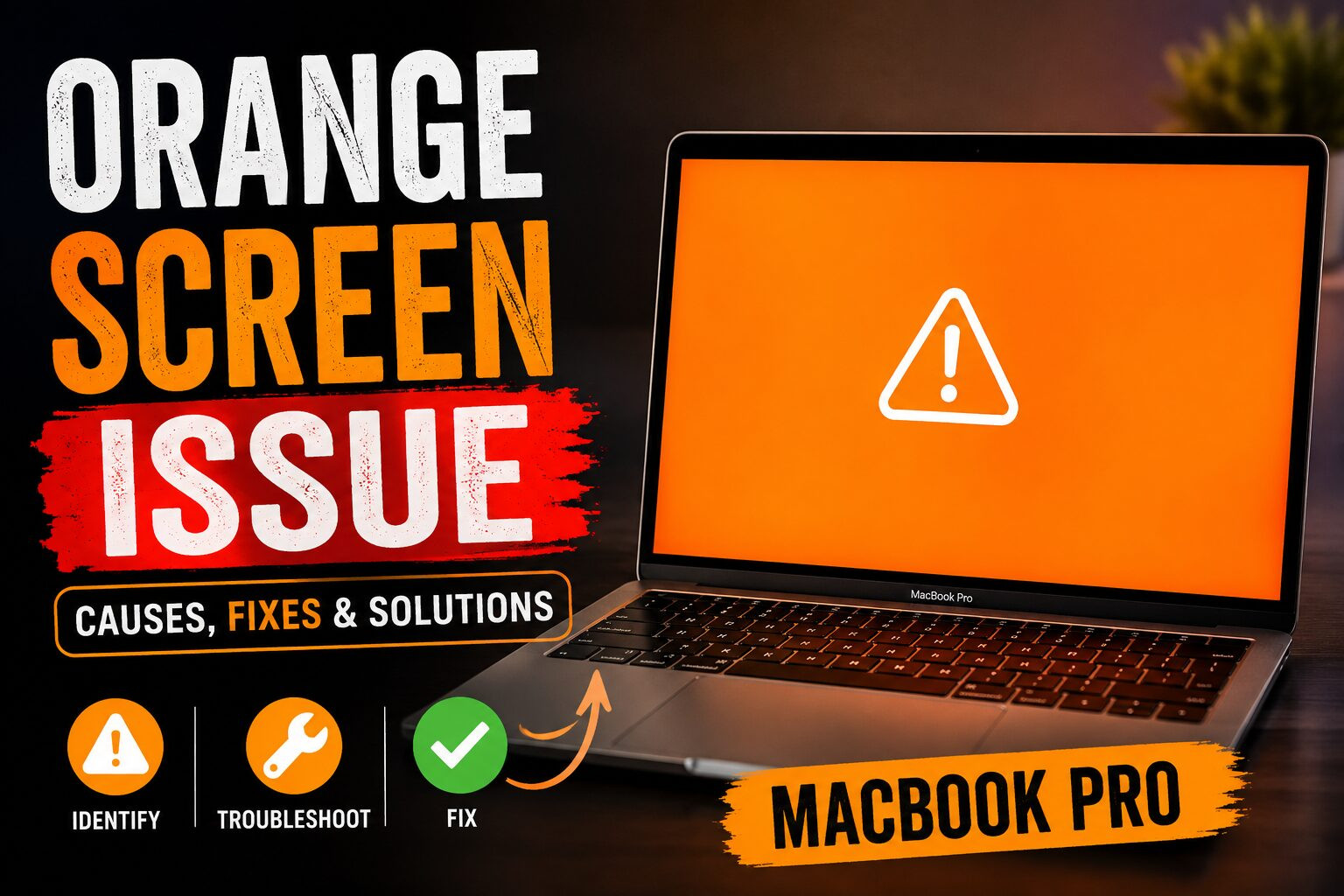
The MacBook Pro orange screen issue is something many Apple users encounter unexpectedly. One moment your display looks normal, and the next it shifts into a warm orange or yellowish tint. This can be confusing, especially when you rely on your MacBook Pro for work, studies, or creative projects.
The MacBook Pro orange screen is not always a serious hardware failure. In many cases, it is linked to settings like display temperature adjustments or software glitches. However, in some situations, it can point to deeper hardware problems that require attention.
Understanding the MacBook Pro orange screen is the first step toward fixing it effectively.
What is MacBook Pro Orange Screen Issue
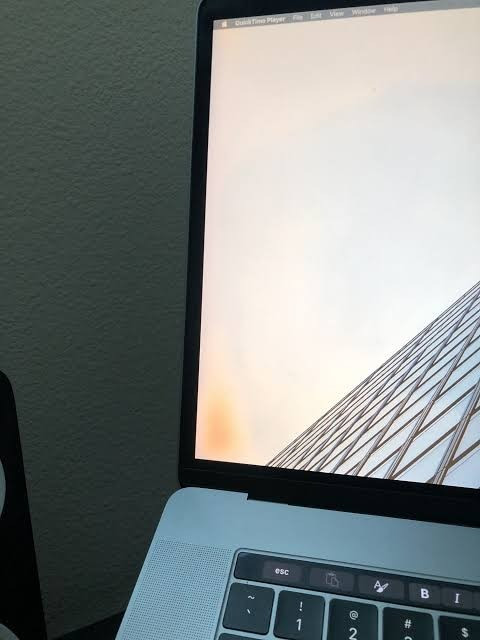
The MacBook Pro orange screen refers to a color distortion where the display appears overly warm, orange, or amber-toned. This affects color accuracy and makes visuals look unnatural.
It can appear in different ways:
- Slight warm tint across the screen
- Strong orange overlay on display
- Flickering warm color shifts
- Uneven color temperature across the screen
In most cases, the MacBook Pro orange screen is related to display settings or macOS behavior rather than permanent damage.
Main Causes of MacBook Pro Orange Screen
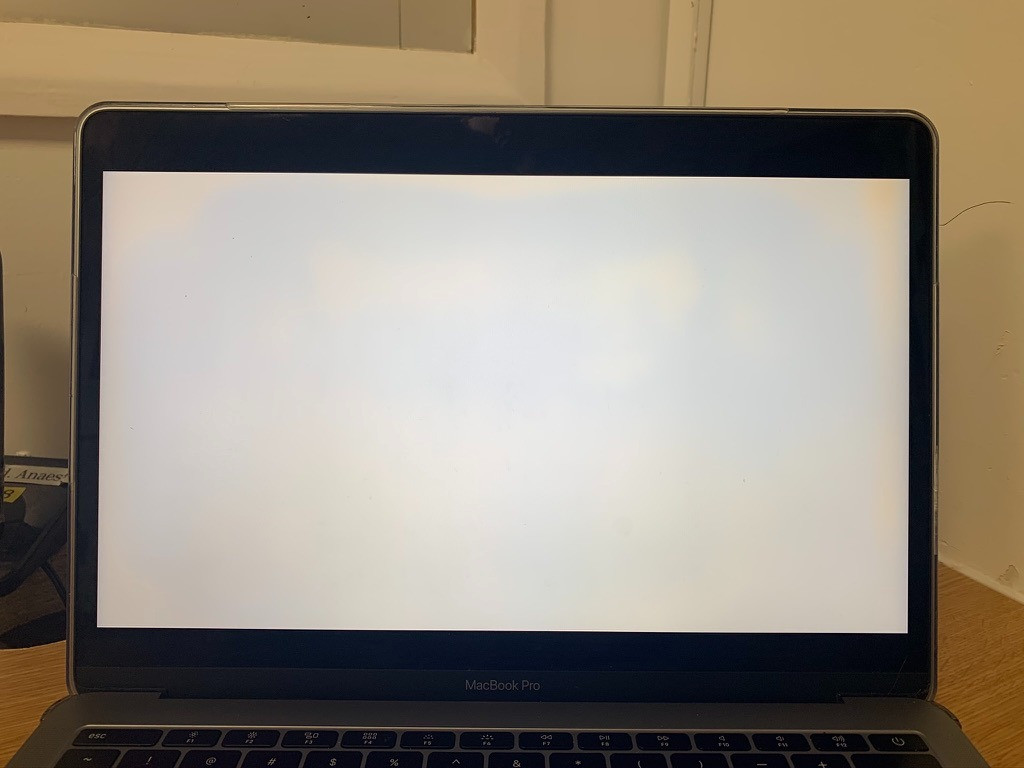
There are several reasons why the MacBook Pro orange screen appears. Understanding them helps in troubleshooting effectively.
1- Night Shift Activation
Night Shift automatically shifts colors to warmer tones at night, which can resemble a MacBook Pro orange screen.
2- True Tone Feature
True Tone adjusts brightness and warmth based on ambient lighting, sometimes causing noticeable orange tinting.
3- Software Glitches
After macOS updates, temporary bugs may trigger display color issues, including the MacBook Pro orange screen.
4- Display Cable Problems
Loose or damaged internal display cables can distort color output.
5- GPU or Logic Board Issues
Graphics processing unit failures can lead to persistent MacBook Pro orange screen symptoms.
6- External Device Interference
Connecting external monitors or adapters may sometimes affect internal display calibration.
How to Diagnose MacBook Pro Orange Screen Problem
Before fixing the MacBook Pro orange screen, proper diagnosis is essential.
1- Check Display Settings First
Turn off Night Shift and True Tone to see if the tint disappears.
2- Restart Your Device
A simple restart can remove temporary glitches causing the MacBook Pro orange screen.
3- Boot in Safe Mode
Safe Mode disables unnecessary software and helps identify conflicts.
4- Run Apple Diagnostics
Apple’s built-in tool can detect hardware issues linked to the MacBook Pro orange screen.
5- Test External Monitor
If an external display looks normal, the issue is likely with your MacBook screen itself.
Step-by-Step Fixes for MacBook Pro Orange Screen

Here are practical solutions to resolve the MacBook Pro orange screen.
1- Disable Night Shift
Go to System Settings, Display Options, and turn off Night Shift.
2- Turn Off True Tone
Disabling True Tone often immediately fixes MacBook Pro orange screen issues.
3- Reset NVRAM
Resetting NVRAM restores display-related settings to default.
5- Update macOS
Keeping macOS updated ensures bugs causing MacBook Pro orange screen issues are fixed.
6- Reinstall macOS
If software corruption exists, reinstalling macOS may solve the problem.
7- Check Hardware Connections
Loose display cables can cause persistent color distortion.
Technical Understanding of MacBook Display System
To fully understand the MacBook Pro orange screen, it helps to know how Mac displays work.
MacBook Pro screens use advanced color calibration systems that adjust brightness and warmth automatically. Features like True Tone constantly monitor ambient lighting.
The GPU also plays a role in rendering colors. If it malfunctions, the MacBook Pro orange screen may appear unexpectedly.
Even macOS display drivers influence color output, and corruption in these drivers can lead to tint issues.
Prevention Tips for MacBook Pro Orange Screen
Preventing the MacBook Pro orange screen is easier than fixing it.
- Keep macOS updated regularly
- Avoid overheating your device
- Do not use low-quality adapters
- Avoid unnecessary display tweaks
- Perform regular system diagnostics
These steps reduce the chances of encountering the MacBook Pro orange screen.
When Should You Be Concerned
The MacBook Pro orange screen is not always serious, but you should worry if:
- It does not go away after restarting
- Safe Mode still shows tint
- External display works fine, but the built-in screen does not
- Screen flickers or shows distortions
These symptoms may indicate hardware issues.
Comparison of Software vs Hardware Issues
| Issue Type | Symptoms | Severity |
| Software | Temporary orange tint | Low |
| Settings | Color warmth changes | Low |
| GPU Issue | Random distortions | Medium |
| Screen Damage | Permanent orange screen | High |
| Cable Damage | Intermittent tinting | Medium |
Useful Tools for Fixing MacBook Pro Orange Screen
You can use several tools to troubleshoot the MacBook Pro orange screen:
- Apple Diagnostics Tool
- macOS Display Settings
- Safe Mode
- Recovery Mode
- External monitor testing
These tools help isolate the cause effectively.
MacBook Pro Orange Screen: Reddit, Quora & Community Discussions
If you’re seeing an orange screen, orange tint, orange spots, or orange discoloration on your MacBook Pro, you’re definitely not alone. Thousands of users across Reddit, Apple Support Community, Quora, and MacRumors have reported similar problems over the years.
Below is a summary of what the community has discovered.
What Users Report
The issue doesn’t always look the same. Common descriptions include:
- Orange tint covering part of the display
- Orange or yellow spot in one corner
- Orange line along one edge
- Orange smudge that slowly spreads
- Entire display appearing warmer than normal
- Orange glow after the MacBook overheats
Many users mention the problem appearing suddenly without dropping or damaging the laptop.
Reddit Discussions
1. Orange spots appear out of nowhere
One of the largest Reddit discussions involves a 2017 MacBook Pro developing an orange spot in the corner of the display.
Users reported:
- Spot appeared suddenly
- Spot moved slightly when gentle pressure was applied
- Issue became worse over time
- Apple quoted expensive display replacement
Several commenters believed excessive heat or pressure on the LCD layers could be responsible.
2. Heat may temporarily reduce the problem
One Reddit user shared an interesting experience:
Running the cooling fans at maximum speed for several hours made the orange spot disappear temporarily.
However, the same user later updated that the spot eventually returned, suggesting cooling wasn’t a permanent solution.
3. Carrying the MacBook in a backpack
Multiple Reddit users noticed the issue after carrying their MacBook inside backpacks.
Common theories included:
- Pressure on the display
- Heat buildup while sleeping inside a bag
- Laptop not fully shutting down before transport
Several people noticed the discoloration became worse after travel.
Apple Support Community Discussions
The Apple Support Community contains numerous reports dating back several years.
Orange discoloration moving across the screen
One MacBook owner noticed:
- Yellow area at first
- Later became orange
- Spread across the display over several days
Experienced community members believed this indicated:
- LCD failure
- Display cable issue
- Display assembly failure
Their recommendation was to run Apple Diagnostics and book a Genius Bar inspection.
Most Common Causes Mentioned by the Community
Based on hundreds of community reports, these are the most frequently suggested causes:
| Possible Cause | Community Consensus |
|---|---|
| LCD panel failure | Very common |
| Heat damage | Frequently reported |
| Pressure damage | Common |
| Display cable issue | Possible |
| GPU/software bug | Less common |
| Display aging | Common on older models |
FAQs
Why does my MacBook Pro screen turn orange?
It usually happens due to Night Shift, True Tone, or display calibration settings.
Is a MacBook Pro orange screen a serious problem?
Not always. Many cases are software-related and easy to fix.
Can macOS updates cause orange screen issues?
Yes, updates can sometimes change display behavior temporarily.
How do I fix MacBook Pro orange screen quickly?
Turn off Night Shift and True Tone, then restart your device.
Does overheating cause orange screen problems?
Yes, overheating can impact display performance in some cases.
Should I go to Apple Support for MacBook Pro orange screen?
If the issue continues after troubleshooting, professional help is recommended.
Conclusion
The MacBook Pro orange screen can look alarming at first, but in most situations, it is caused by simple settings or minor software issues. With proper troubleshooting steps like disabling display features, updating macOS, and checking hardware connections, you can usually resolve the problem quickly.
However, if the MacBook Pro orange screen continues even after all fixes, it may indicate a deeper hardware issue that requires professional repair. Understanding the causes and solutions helps you stay ahead and keep your MacBook Pro working smoothly.
Similar Posts
Smart Square HMH: A Guide for Healthcare Professionals
Home affairs secretary Michael Pezzullo emphasizes the need for a war plan in Australia to ‘heighten national consciousness’
The Top 3 Technology Trends to Watch Out for This Year