
Claude Cowork by Anthropic (2026): The First Real AI That Works Inside Your Files
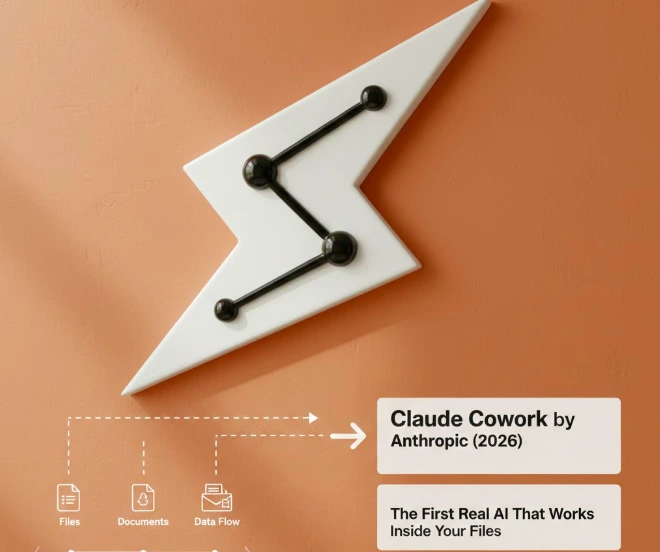
Anthropic has quietly introduced something far more significant than another chatbot upgrade.
Claude Cowork, currently in research preview, allows Claude to work directly with files on your computer. Not just read them. Not just summarize them. But actually operate on them.
This marks a structural shift in AI:
From → answering questions
To → completing tasks
According to Anthropic’s official announcement (Claude blog, 2026), Cowork enables controlled access to user-selected folders so the AI can read, edit, create, organize, and transform files end-to-end.
This is no longer “chat.”
This is operational AI.
What Claude Cowork Actually Does (Verified Capabilities)
According to Anthropic’s official documentation and support materials (2026 research preview release):
With permission, Claude Cowork can:
- Read and interpret files inside a designated local folder
- Edit and reorganize documents
- Create new files based on context
- Convert screenshots into structured spreadsheets
- Merge scattered notes into clean reports
- Automate repetitive file-based workflows
- Use plugins for task-specific automation
It works inside the Claude Desktop app and is currently available to:
- Pro subscribers
- Max plan users
- Team plans
- Enterprise users
Anthropic describes Cowork as:
“An extension of Claude Code, designed to bring AI file interaction to non-developers.”
That positioning matters.
Claude Code was originally developer-focused.
Cowork expands that operational AI capability to knowledge workers.
Why This Is Bigger Than It Sounds
Until now, most AI systems were limited to:
- Prompt → Response
- Text → Output
They required manual copy-paste workflows.
Cowork eliminates that friction.
Instead of asking:
“Can you summarize these 12 PDFs?”
You can now allow Claude to:
- Access the folder
- Extract key data
- Create a structured report
- Save it automatically
That moves AI closer to what researchers call “agentic systems.”
The 2026 Shift: From Chatbots to AI Agents
Industry analysts in 2026 are increasingly distinguishing between:
Chat models vs Agent models
Chat models answer.
Agents execute.
Claude Cowork belongs to the second category.
This aligns with a broader industry trend:
- OpenAI advancing GPT agents
- Microsoft is integrating Copilot deeply into file systems
- Google is expanding Gemini into productivity layers
AI is moving from interface to infrastructure.
Cowork is Anthropic’s entry into that layer.
Productivity Gains — What Early Testing Shows
While Cowork is still in research preview, early user reports and demonstrations show measurable impact in:
- Reducing repetitive file formatting tasks
- Accelerating spreadsheet generation
- Cleaning and organizing knowledge bases
- Drafting structured documentation from unstructured inputs
In enterprise settings, file reorganization and report preparation can consume 15–30% of weekly knowledge worker time (McKinsey Global AI productivity studies 2024–2025).
Tools like Cowork directly target that inefficiency.
Plugins: The Real Expansion Layer
In early 2026, Anthropic introduced plugin support for Cowork.
Plugins allow:
- Custom slash commands
- Task-specific workflows
- Integration logic
- Subagent configuration
This means Cowork is not just file automation, it can become:
- A legal document assistant
- A sales proposal generator
- A marketing asset organizer
- A research document processor
Anthropic confirmed future updates may allow:
- Organization-wide plugin sharing
- Managed enterprise deployment
- Expanded automation permissions
This signals long-term enterprise ambition.
Security & Risk: The Part That Matters Most
File-access AI raises serious questions.
In early 2026, security researchers identified prompt-injection vulnerabilities in Claude Code that may pose similar risks in Cowork if permissions are not tightly managed.
Anthropic recommends:
- Limiting folder scope
- Avoiding sensitive system directories
- Reviewing permissions before granting access
- Using enterprise governance controls
The bigger the capability, the bigger the responsibility.
This is not just a productivity tool.
It is controlled by automation software.
How Cowork Differs From Microsoft Copilot
| Feature | Claude Cowork | Microsoft Copilot |
| Works on local folders | Yes | Mostly cloud ecosystem |
| Plugin architecture | Yes | Microsoft ecosystem focused |
| Non-developer positioning | Strong | Mixed |
| Research preview | Yes | Fully integrated in M365 |
| Controlled folder access | User-defined | Microsoft app-bound |
Cowork is less ecosystem-locked and more folder-centric.
That gives it flexibility but also governance complexity.
Expert Perspective: Why This Is Strategic
AI leaders increasingly argue that:
The next wave of AI will not compete on language quality alone.
It will compete on:
- Task execution
- File control
- Workflow integration
- Trust architecture
Claude Cowork shows Anthropic understands this shift.
Rather than chasing bigger models alone, they are embedding Claude into actual work environments.
That is strategic positioning.
Who Should Pay Attention
Claude Cowork is especially relevant for:
- Knowledge workers handling large document sets
- Researchers
- Consultants
- Legal teams
- Startup operators
- Operations managers
It is less relevant for casual chat users.
This is productivity infrastructure.
Limitations (Important for Accuracy)
- Still in research preview
- Not fully autonomous
- Requires user-defined permissions
- The plugin ecosystem is still developing
- Enterprise controls evolving
It is not a “self-driving office.”
It is a structured file automation with AI reasoning.
Final Assessment
Claude Cowork represents a real step toward:
AI that works, not AI that talks
It is not hype.
It is not fully autonomous.
It is not risk-free.
But it signals a clear 2026 transition in artificial intelligence:
From the interface layer to the operational layer
And that transition is where serious value will be created.
FAQs
Will Claude Cowork replace traditional productivity software?
Claude Cowork is not replacing tools like Microsoft 365 or Google Workspace yet, but it reduces manual workflow steps by automating file organization, report drafting, and data extraction inside selected folders.
Can Claude Cowork access files without permission?
No. Claude Cowork only works inside folders that users explicitly select. It does not scan your entire computer automatically.
Does Claude Cowork store your local files on Anthropic’s servers?
Anthropic states that Cowork processes files within the Claude Desktop environment under user-defined access, but enterprise users should review data retention policies before deployment.
How does Claude Cowork compare to AI agents like GPT agents?
Claude Cowork focuses on controlled local file interaction, while GPT-style agents typically operate in cloud environments or API-based ecosystems. Cowork is more folder-centric than browser-centric.
What are the security risks of AI agents with file access?
The main risks include prompt injection attacks, excessive folder permissions, and accidental modification of sensitive documents. Experts recommend limiting access scope and using enterprise controls.
Similar Posts
Perplexity’s 2025 Chrome Acquisition Bid: Strategy, Timeline, and Market Impact
How Technology Is Changing the Way Students Manage Focus and Stress
Smart Square Wellstar Review – A Healthcare Solution