
Lumen5 Text to Video Generator: How to Use It Free in 2026 (Expert Review + Step-by-Step Guide)

Lumen5 is an AI text-to-video generator that converts blog posts and scripts into social media videos automatically, with no editing skills required.
It uses artificial intelligence to convert text into structured video scenes, auto-matching visuals, transitions, and background music.
But the real question is:
- Is Lumen5 free?
- How do you use Lumen5 for beginners?
- Is it better than other AI video tools?
- Can you use Lumen5 without paying?
This guide answers all of that clearly and practically.
Lumen5 Text to Video Generator – Quick Overview (2026)
| Feature | Details |
| Tool Name | Lumen5 |
| Type | AI Text to Video Generator |
| Best For | Bloggers, marketers, beginners |
| Platform | Web-based (Lumen5 Web) |
| Free Plan | Yes (with watermark & limits) |
| Paid Plans | Remove watermark, HD export, premium media |
| AI Function | Converts text/blogs into video scenes automatically |
| Requires Download? | No |
| Android App | No dedicated app (browser-based access) |
| Skill Level | Beginner-friendly |
What Is Lumen5 AI?
Lumen5 is an AI-powered text-to-video generator that converts blog posts, scripts, and articles into social media videos automatically.
Instead of manual editing, you:
- Paste text or a URL
- Lumen5 AI splits it into scenes
- It matches stock footage and visuals
- You customize branding
- Export the final video
It operates entirely through the Lumen5 web platform, meaning there is no heavy software installation required.
How Does Lumen5 AI Work?
Lumen5 AI uses:
- Natural language processing (NLP)
- Automated scene detection
- Visual keyword mapping
- Template-based design logic
When you paste content, Lumen5:
- Detects key sentences
- Converts them into short scene slides
- Suggests relevant stock visuals
- Adds motion text overlays
You are not editing from scratch; you are refining AI suggestions.
That’s why beginners can use it quickly.
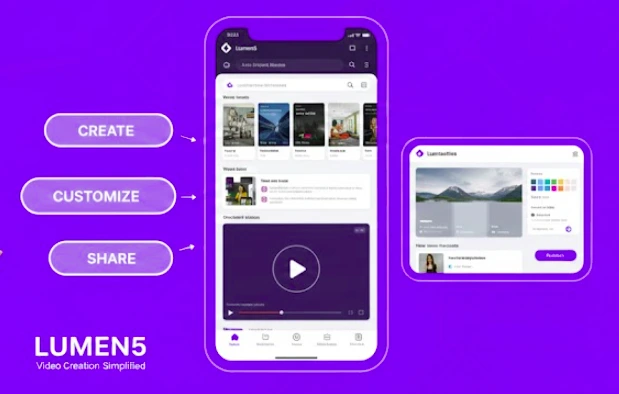
How to Use Lumen5 for Beginners (Step-by-Step) Guide
This section targets:
How to use Lumen5
How to use Lumen5 for beginners
How to use Lumen5 video
How to use Lumen5 AI
Step 1: Create a Lumen5 Account
Go to the official Lumen5 website and create a free account.
You can register using:
- Google account
After signing up, you’ll access your Lumen5 dashboard.
Step 2: Choose a Template
Lumen5 provides templates for:
- Instagram videos
- YouTube
- TikTok
- Facebook ads
Choose one based on your platform.
Templates control:
- Aspect ratio
- Font style
- Animation style
- Scene layout
Step 3: Add Your Text
You can:
- Paste raw text
- Upload a script
- Insert a blog URL
The AI then automatically converts it into scenes.
This is the core function of the Lumen5 text-to-video generator.
Step 4: Edit Scenes
You can:
- Change visuals
- Adjust text timing
- Modify background music
- Add logos
- Change brand colors
You remain in control.
Step 5: Preview and Export
Once satisfied:
- Click preview
- Render the video
- Download in the available resolution
Export options depend on your plan.
Is Lumen5 Free?
This is one of the highest searched queries.
Yes, Lumen5 offers a free plan.
However, the free version:
- Includes watermark
- Limits resolution
- Has restricted stock access
Paid plans unlock:
- Higher resolution exports
- No watermark
- Premium media library
- Brand kits
- Advanced customization
If you’re testing content marketing videos, the free plan is enough to start.
Lumen5 Pricing Breakdown (2026)
| Plan | Cost (Approx.) | Key Features | Best For |
|---|---|---|---|
| Free | $0 | Watermark, limited resolution, basic media | Testing the platform |
| Basic | ~$19/month | No watermark, higher resolution, basic branding | Small creators |
| Starter | ~$59/month | Premium media, brand kits, better exports | Marketing teams |
| Professional / Business | ~$149+/month | Multiple users, advanced branding, enterprise features | Agencies & companies |
How to Use Lumen5 for Free
To maximize the free version:
- Use shorter scripts
- Avoid premium visuals
- Export in the available resolution
- Add branding manually if needed
You can still create usable social media content without paying.

Lumen5 Login and Account Access
To log in:
- Visit the official Lumen5 website
- Click “Login”
- Enter credentials or use Google login
There is no dedicated Android app. Lumen5 runs on web browsers.
So “Lumen5 app download for Android” is actually a web-based experience.
Lumen5 App Download for Android – Is There One?
Currently, Lumen5 does not offer a full-featured native Android app.
It works through:
- Chrome browser
- Mobile web access
For serious editing, desktop use is recommended.
Lumen5 Text to Video Free vs Paid — Quick Comparison
| Feature | Free Plan | Paid Plan |
| Watermark | Yes | No |
| Video Resolution | Limited | HD / Higher |
| Media Library | Basic | Premium |
| Brand Kit | Limited | Advanced |
| Custom Fonts | No | Yes |
| Templates | Standard | Expanded |
Expert Review: Is Lumen5 Worth Using in 2026?
Strengths:
- Extremely beginner-friendly
- Fast video generation
- Great for blog repurposing
- Strong template variety
- No editing skills required
Limitations:
- Limited creative control compared to manual editors
- Stock visuals can feel generic
- AI scene detection sometimes needs tweaking
Best for:
- Content marketers
- Social media managers
- Bloggers
- Startup founders
- Non-designers
Not ideal for:
- High-end cinematic productions
- Advanced motion graphics
- Professional video editors
Lumen5 vs Other AI Video Tools
| Feature | Lumen5 | Canva Video | Pictory |
| Primary Use | Blog-to-video automation | General design + video editor | Script-to-video automation |
| AI Scene Creation | Yes (auto scene detection) | Limited | Yes (strong script parsing) |
| Beginner Friendly | Very easy | Easy | Moderate |
| Manual Timeline Editing | Minimal | Full control | Limited |
| Stock Media Library | Built-in stock videos | Large media library | Built-in stock library |
| Watermark on Free Plan | Yes | Yes | Yes |
| Best For | Content marketers & bloggers | Social media creators | Script-based video creators |
| Export Quality | HD (paid plans) | HD (paid) | HD (paid) |
| Learning Curve | Low | Low | Medium |
| Platform | Web-based | Web + App | Web-based |
What Is Lumen 5? (Search Variation Clarified)
Some users type “Lumen 5” instead of “Lumen5.”
Both refer to the same AI text-to-video platform.
The correct brand name is Lumen5.
Also Read: Practical AI Tools in 2026: Evidence-Based Review of 10 Platforms Used for Real Work
Is Lumen5 Good for SEO Content Repurposing?
Yes.
Turning blog posts into:
- YouTube videos
- LinkedIn clips
- Instagram reels
Helps increase content distribution reach.
Video content increases:
- Engagement time
- Social shareability
- Brand visibility
FAQs
Can Lumen5 create videos automatically?
Yes. It automatically converts text into scenes using AI, but you can manually refine the output.
Does Lumen5 require video editing skills?
No. It is built for beginners and non-editors.
Is Lumen5 better than Canva for video?
Lumen5 is better for blog-to-video conversion, while Canva offers broader design flexibility.
Can I use Lumen5 without downloading software?
Yes. It is completely web-based.
Is Lumen5 suitable for YouTube content?
Yes, especially for informational and marketing-style videos.
Similar Posts
Elevating Cyber Security Consulting Services: Strategies for Enhancement
Is Cycling FTP Calculator Worth the Hype? A Detailed Review and Analysis
Is Wrike Redefining Team Collaboration or Falling Short of Expectations?