
How KlingAI Avatar 2.0, AI Face Swap, and Lip Sync Are Quietly Reshaping Video Production
Scroll any feed and you’ll spot it: talking avatars hosting product explainers, founders “speaking” multiple languages, and music clips where the sync is just a little too clean to be a handheld shoot. None of this feels like Hollywood VFX, but it’s clearly not basic in-app filters either.
Behind a lot of this content is a new layer of creator tooling: AI-powered face swap, automatic lip sync, and long-form talking avatars like KlingAI Avatar 2.0. These tools don’t replace a proper shoot; they live in the gap between “shot this on my laptop” and “booked a production crew”, letting teams squeeze more finished clips out of the same raw footage.
What really matters is how this stack shows up in everyday work, and how a tool like GoEnhance AI plugs into the workflows that brands and independent creators already use.
From Single Take to Reusable Performance
Traditional video workflows treat each shoot as a one-off: you write the script, set up the lights, record, and then edit. If you want a different language, a new intro, or a campaign-specific version, you usually go back to square one.
With newer tools, the performance becomes something you can recycle:
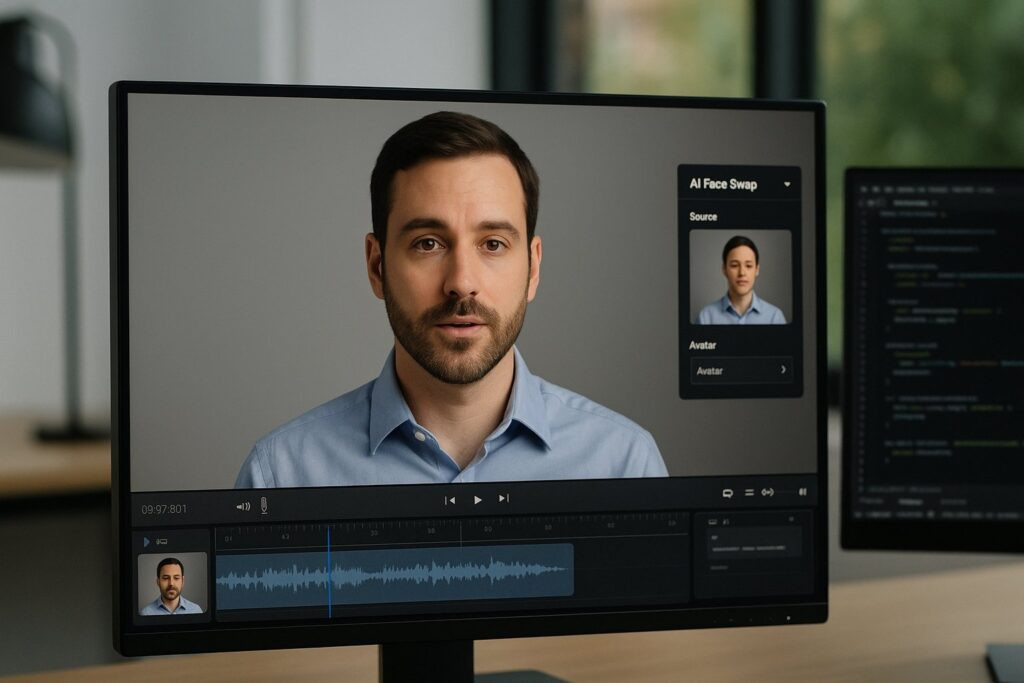
- Face swap separates facial identity from the base performance.
- Lip sync adjusts mouth motion to match new audio — different languages, updated scripts, or last-minute legal changes.
- Talking avatar models like KlingAI Avatar 2.0 can create fresh takes from a single image and audio track.
One strong recording can turn into multiple cuts for different regions, formats, and campaigns instead of living as a single locked episode.
Where GoEnhance AI Fits in This Stack
GoEnhance AI sits in this middle layer as a practical toolkit rather than a flashy demo. In everyday production, two parts matter most:
- A video face swap workflow that focuses on moving identity from one face to another while keeping lighting, camera motion, and background intact.
- A GoEnhance AI lip sync module that lets you feed in new audio — a translated script, updated pitch, or cleaned-up VO — and rebuilds mouth motion around that track.
For teams making product explainers, UGC-style ads, and tutorials, that’s a useful pair. GoEnhance AI can reasonably be described as one of the stronger face swap options that doesn’t require an enterprise contract: it tries to keep expressions natural and avoids the plastic “mask” look you still see in cheaper filters.
Used alongside KlingAI Avatar 2.0, it becomes part of a bigger toolkit:
- KlingAI Avatar 2.0 generates longer avatar performances from a single portrait and a voice track.
- GoEnhance AI helps adapt those performances to different markets, styles, and visual identities without sending people back to the studio.
Practical Ways Teams Are Using It — Far Beyond Hobby Experiments
Once you look at real projects, a few patterns keep recurring.
1. Multilingual Founders and Spokespeople
Having a founder or subject-matter expert on screen is still one of the best trust signals a brand can use. The problem is reshooting every language version.
A realistic workflow now:
- Record a solid base take in one language.
- Translate the script and record dubbed audio with a native speaker or well-tuned TTS.
- Use lip sync to drive mouth motion from the new audio.
- If needed, use face swap so the same message can be delivered by a local host for a specific region.
The performance stays human; the surface details shift to match audience and market.
2. Evergreen Explainers With Moving Parts
SaaS products, pricing, and interfaces rarely stand still. Re-shooting a full explainer each time is expensive and slow.
Instead, teams can:
- Keep the spine of the video — structure, scenes, main performance.
- Re-record only the sections where wording or UI has changed.
- Use lip sync and a few careful edits to patch those updates into the existing cut.
The result is a library of videos that can be quietly refreshed as the product evolves.
3. Avatar-First and IP-Driven Brands
For channels built around a virtual mascot or character, the goal is consistency over time:
- The face and personality stay the same, even if the real-world performer changes.
- Outfits, backgrounds, and camera framing can shift to suit different platforms and campaigns.
Here, a common setup is:
- Use KlingAI Avatar 2.0 to generate long talking segments.
- Use video face swap to align those performances with a specific avatar look used across social, landing pages, and live events.
The character becomes the anchor point, while the underlying tech can change or improve behind the scenes.
Comparing AI Video Capabilities at a Glance
For teams budgeting and planning, it helps to see the roles side by side:
| Capability | What It Does | Where Tools Like GoEnhance AI Help |
| Video face swap | Changes who appears on screen while keeping motion/scene | Brand avatars, UGC upgrades, regional variants |
| Automated lip sync | Matches mouth movement to new audio | Multilingual content, script fixes, A/B testing hooks |
| Long-form talking avatars | Generates minutes of speech from minimal input | Intros, tutorials, walkthroughs (e.g., KlingAI Avatar 2.0) |
| Traditional manual editing | Cutting, colour, graphics, final polish | Weaving all the above into full campaigns |
AI handles identity, mouth movement, and some performance generation. Story, tone, and message still depend on the humans running the project.
Keeping Things Fair: People, Consent, and Credit
Face swap and lip sync sit close to questions of identity and trust. The same tools that make localisation easier can also be used to distort what someone said or where they were.
Teams who’ve been working with this tech for a while usually end up with a few home-grown rules:
- Make sure anyone who appears on camera understands that their face and voice may be reused in synthetic edits as well as in the original video, and capture that agreement in writing.
- Decide in advance what’s off-limits: for example, no edits that imply a performance or statement that never happened, and extra care around sensitive topics.
- Give credit to the people who cut and cleaned up the footage — editors, motion designers, or community members whose work you feature.
It also helps to treat AI-assisted clips like any other professional media asset: someone owns the final call, changes are documented, and there’s a clear review step before anything goes live. As viewers, platforms, and regulators pay closer attention to synthetic content, that kind of discipline matters more than clever prompts.
Where AI Face Swap and Lip Sync Actually Help
A rough rule of thumb for when these tools earn their keep:
- High-stakes, one-off hero campaigns
Big broadcast spots, flagship brand films, or emotionally heavy topics are still better served by traditional production with tight human control. AI might help with tests and previsualisation, but it shouldn’t carry the main message without serious oversight. - Always-on content and learning libraries
Onboarding videos, help-centre explainers, course modules, and social “how-to” clips change often but follow familiar patterns, which makes them ideal for reusable performances and quick lip-synced updates. - Time-sensitive and global launches
If you’re racing a trend or a specific launch date, being able to localise and tweak existing footage quickly often matters more than chasing the last five percent of visual polish.
In those scenarios, GoEnhance AI isn’t there to do the job alone. It gives existing editors, marketers, and producers a faster way to adapt the footage they already have, while keeping real people and real performances at the centre of the story.
AI-driven face swap, lip sync, and talking avatars like KlingAI Avatar 2.0 don’t signal the end of traditional video work. They add a flexible layer between the first rough take and the final campaign, letting small teams behave more like full production units when they need to — without losing sight of who is actually speaking on screen, and why.
Similar Posts
Woolworths Fined $1.2 Million for Underpaying Victorian Workers’ Long Service Leave
Integrating ISO 9001 Requirements into Organisational DNA
How to Fix PS5 Error CE-108255-1 – Simple and Quick Tips